
Industries
IT for architects and engineers
Onsite IT for design practices: powerful workstations, fast file sharing for large drawings, large-format printing and solid backups.
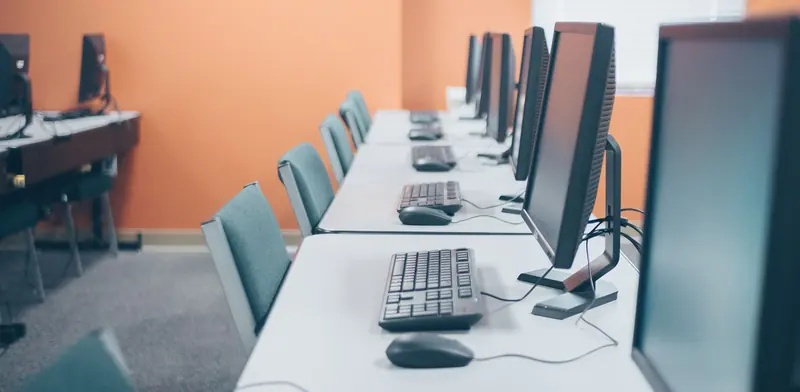
Architecture and engineering practices handle large files: CAD models, drawing sets, renders and point-cloud scans that punish a weak network and slow storage. Staff need powerful workstations, quick access to project folders and large-format printers that behave. Projects pile up over years, and archived work has to be retrievable long after delivery. Practices that outgrow their original setup often end up with slow file transfers, a plotter nobody can configure and a backup that struggles with the size of the data. We come onsite to rebuild the foundations so the design work itself can move faster.
- One-off jobs, no contract
- After-hours work can be arranged
- Works alongside your existing IT provider
- Price agreed before work starts
IT problems architects and engineers run into
- Large drawing and model files open slowly because storage and the network were sized for a smaller team.
- Plotters and large-format printers drop off the network or print with the wrong settings.
- Project folders from past years are scattered across old drives with no clear archive.
- Powerful workstations are configured differently on each desk, making problems hard to solve.
- Backups struggle with the sheer volume of data and are rarely checked.

What a good setup looks like
A good design office starts with a network built for big files. That means gigabit or faster cabling to every desk, a quality switch, and a storage unit or server with enough speed and capacity for live projects. Wi-Fi is planned for meeting rooms and the studio floor, but desks that open large models are wired. Where the practice has several floors or buildings, we link them with proper cable or fibre so file transfers are not held back by the weakest link.
Workstations and software come next. We spec and deploy machines suited to the design applications in use, set them up identically with the same updates and drivers, and give each person their own login. Project folders follow a clear structure with permissions that fit teams and projects, and finished jobs move to an archive that is easy to find. Plotters and large-format printers are installed with the right drivers, paper profiles and queue so printing is predictable.
Last, we handle protection. Backups run to two locations, with the large archive stored on separate media, and restores are tested on real project files. Remote access lets staff work from site visits or home through a secured connection, and a business firewall keeps the network protected. We document the layout, storage structure and backup arrangements so anyone taking over the system can understand it quickly.
Jobs we do for architects and engineers
- Cable every desk for fast file access and link floors with proper backbone cabling.
- Install a storage server sized for live projects and an organised archive.
- Deploy matching high-performance workstations with the design software installed.
- Install and configure a large-format plotter with the right drivers and queue.
- Set up secure remote access so staff can open project files from site visits.
- Create a tested backup for large project folders, with an offline archive copy.
Services that fit
Office Moves & New Office SetupDesks, network and printers working on day one.Data & Network CablingStructured Cat6/6A and fibre cabling, patch panels and cabinets.PC & Laptop RolloutsNew computers prepared, deployed and old ones wiped and retired.Server InstallationServers and NAS installed, racked and backed up.Backup Setup & Disaster RecoveryBackups that follow the 3-2-1 rule and are restore-tested.Printer InstallationNew printers and copiers set up on every computer.A quick IT checklist
Run through these yourself. Anything you can't tick is a good place to start:
- Do large models open quickly from the server, or do people copy them locally?
- Is each workstation configured the same way, with the same updates?
- Can you find a completed project from several years ago within minutes?
- Does the plotter print the same way from every machine?
- Is there an offline copy of your archive in case the network is compromised?
- Can staff on a site visit reach files securely without emailing large attachments?
What a visit looks like
When you book a business job, you tell us what's going on and we reply with a time that suits you and a price. Nothing starts until you're happy with both.
On the day, the technician arrives, looks at the problem in person and confirms the plan with you before starting. If something turns out different from what was expected - a part is needed, or the cause is somewhere else - we stop and agree the change with you first.
When the work is done we test it with you, show you what was changed, and leave the area tidy. For business jobs we note what we did, so there is a record for whoever looks after your IT next.
Pricing
Each business job is priced before work starts. The price depends on what's involved - the size of the site, the equipment, and whether parts are needed - so the quickest way to a number is to tell us about the job on the booking form.
There is no contract and no monthly fee. You book the job you need and pay for that job.
IT for architects and engineers: questions
Can you tell us what workstation specification we need?
Yes. We ask which design and modelling applications you run and how large your typical files are, then suggest processor, memory, graphics and storage that suit that workload. We supply a recommendation you can compare.
Our files are huge. Will the backup cope?
A backup can be designed for large data, using faster storage, scheduling outside working hours and keeping an archive copy separately. We test it by restoring real project folders, so you know it handles your volume.
Can you connect our plotter so everyone can use it?
Yes. We install the plotter on the network with a fixed address, add drivers and queues to each workstation and set up paper types and defaults. If it also scans, we can send scans to a shared folder.
Do you work with practices spread across two offices?
Yes. We can set up a secure link between offices, consistent file structure and shared access, so each site can reach project data. Choices depend on your internet connections and how much data moves between locations.
Other industries
- IT for accounting firms
- IT for law firms
- IT for real estate offices
- IT for builders and trade businesses
- IT for manufacturers and workshops
- IT for logistics and warehouse sites
- IT for cafes, restaurants and bars
- IT for early childhood centres
- IT for gyms and fitness studios
- IT for property managers and landlords
- IT for retirement villages
- IT for churches and community groups
- IT for home-based businesses