
Setups & installs
Computer lessons and staff training
Patient one-on-one computer lessons at home, or small-team training at work, on Windows, Mac and Microsoft 365.
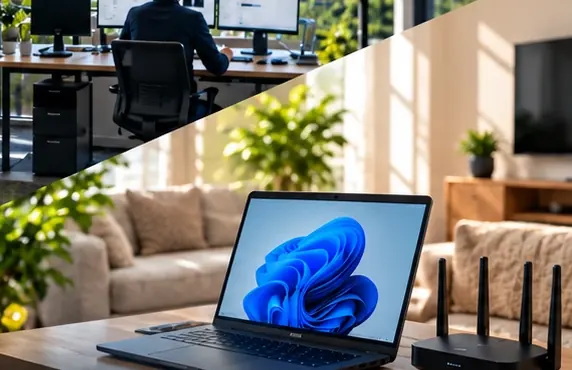
Some people want to understand their computer rather than just have it fixed. We run one-on-one lessons at home and small-group sessions at work, on your own Windows PC, Mac or laptop. Lessons cover what you actually need - email, browsing safely, video calls, sorting photos, saving and finding files, or the Microsoft 365 apps your team uses. We go at your pace, write down the steps, and stick to computers and laptops only.
From $135 + GST + $30 call-out ($185.25 incl. GST)
- Lessons on your own computer, so the steps match what you see
- Written step-by-step notes left behind to practise with
- Topics chosen by you, not a fixed course outline
Signs you need computer lessons & training
- You rely on someone else every time you need to send an attachment
- Video calls with family or clients feel stressful because the camera or sound never works
- Photos are scattered across the computer and you cannot find the ones you want
- New staff are using Outlook, Teams and OneDrive without anyone showing them how
- You are unsure whether an email is genuine or a scam
How we do it
Each lesson begins by asking what you want to be able to do on your own, then working backwards from there. A grandparent who wants to join video calls needs a different lesson from a new receptionist learning Outlook. We sit beside you at your own computer and you keep your hands on the mouse and keyboard while we talk you through each step, so the movements become yours rather than ours. Questions are welcome at any point, including ones you think might sound silly.
We teach in short steps and repeat the important ones until they feel natural. For staff groups we cover the tasks the team really does - saving to the right shared folder, booking a meeting, finding an old email - rather than every menu in the program. Before we leave, you receive written notes in plain words that match your own screen, so you can practise later without guessing. Follow-up lessons can pick up wherever the last one finished, and we start each one by checking what has stuck and what needs another go.
Typical computer lessons & training jobs
- First lessons for someone new to computers
- Email, attachments and keeping an inbox tidy
- Spotting scam emails and browsing safely
- Video calls on a laptop or desktop computer
- Organising, backing up and sharing photos on a computer
- Microsoft 365 basics for new staff - Outlook, Teams, OneDrive and Word
Specific computer lessons & training jobs
- Computer lessons for complete beginnersI have a computer but I am not confident using it, and I do not want to keep asking family for help.
- Lesson: video calls on your computerI want to video call family and join meetings on my laptop, but the camera and sound never seem to work.
- Microsoft 365 training for office staffWe moved to Microsoft 365 but staff are still emailing files back and forth and saving everything to their desktops.
Computer Lessons & Training for businesses
For a business, a short training session is often cheaper than months of small mistakes. New staff learn where files belong, how to share them safely and how to spot a phishing email before they click it. A team moving to Microsoft 365 learns the parts they will use daily rather than being left to work it out alone. We train on your own systems, so what people learn matches what they see when they sit down at their desks.
Computer Lessons & Training at home
At home, lessons are relaxed and paced entirely by you. Many people want to write emails with attachments, join video calls with family overseas, keep their photos in order or simply feel confident they will not be caught by a scam. We teach on your own computer or laptop at your kitchen table or desk, leave clear notes behind for practising between visits, and never make anyone feel rushed or embarrassed for asking.
Before we arrive
To make the visit quick, it helps to have these ready:
- Your computer or laptop charged and switched on, with the password ready
- A short list of the things you most want to learn
- Your email address and password, if the lesson covers email
- For staff training, a quiet room and each person's own computer
What a visit looks like
When you book computer lessons & training, you tell us what's going on and we reply with a time that suits you and a price. Nothing starts until you're happy with both.
On the day, the technician arrives, looks at the problem in person and confirms the plan with you before starting. If something turns out different from what was expected - a part is needed, or the cause is somewhere else - we stop and agree the change with you first.
When the work is done we test it with you, show you what was changed, and leave the area tidy. For business jobs we note what we did, so there is a record for whoever looks after your IT next.
Pricing
From $135 + GST + $30 call-out ($185.25 incl. GST)
| Charge | Price | Incl. GST |
|---|---|---|
| Call-out, per onsite visit | $26.09 + GST | $30 |
| First hour on site | $135 + GST | $155.25 |
| Each half hour after the first hour | $60 + GST | $69 |
| Remote help session (no call-out) | $60 + GST | $69 |
| SuperGold card holders - first hour at home | $116 + GST | $133.40 |
Estimate your visit
$185.25 incl. GST, call-out included
An estimate at our standard rates. Bigger jobs get a free quote before we start.
Every visit includes
- Travel to your site
- Diagnosis on site
- Fix tested with you
- Plain-English explanation
- Notes for business jobs
- Tidy finish
Computer lessons & training is charged at our standard rates: a $30 call-out, the first hour, then half-hour blocks. We never charge by the minute or in 15-minute steps, and there are no hidden extras.
Larger jobs - a new network, a run of cabling, a server or a camera system - get a free quote before any work starts, so you know the cost up front. Parts and equipment are quoted and agreed before we order them.
There is no contract, no monthly fee and no membership. You book the job you need and pay for that job.
Computer Lessons & Training: common questions
Which devices do your lessons cover?
Our lessons cover computers and laptops only - Windows PCs and Macs. If you want to learn email, video calls or photos, we teach them on your computer, where the larger screen and keyboard make them easier to follow and practise.
I am a complete beginner. Is that all right?
Absolutely. Many lessons start with turning the computer on, using the mouse or trackpad and finding things on the screen. We never rush and we use plain words rather than jargon. You can ask the same question as many times as you like.
Can you train a few staff at once?
Yes. Small-group sessions at your workplace work well for new Microsoft 365 setups, a new shared folder layout or a refresher on spotting phishing emails. We keep groups small so everyone can follow along on their own computer.
Can a family member sit in on the lesson?
Of course. Some people like a son, daughter or friend there so they can help later. We are just as happy to teach on your own, and we leave written notes either way so nothing depends on remembering every step.
Computer Lessons & Training by area
- Computer Lessons & Training in Auckland CBD
- Computer Lessons & Training in Ponsonby
- Computer Lessons & Training in Remuera & Newmarket
- Computer Lessons & Training in Mt Eden & Mt Albert
- Computer Lessons & Training in Onehunga
- Computer Lessons & Training in North Shore
- Computer Lessons & Training in Albany
- Computer Lessons & Training in Hibiscus Coast
- Computer Lessons & Training in West Auckland
- Computer Lessons & Training in Kumeu & Hobsonville
- Computer Lessons & Training in East Auckland
- Computer Lessons & Training in Botany & Flat Bush
- Computer Lessons & Training in East Tamaki
- Computer Lessons & Training in Manukau
- Computer Lessons & Training in Papakura & Takanini
- Computer Lessons & Training in Pukekohe
- Computer Lessons & Training in Mangere & Airport Oaks
- Computer Lessons & Training in Hamilton