
Cabling & networks
Internet setup and provider changeover
New fibre, wireless or Starlink internet connected, secured and every device reconnected.
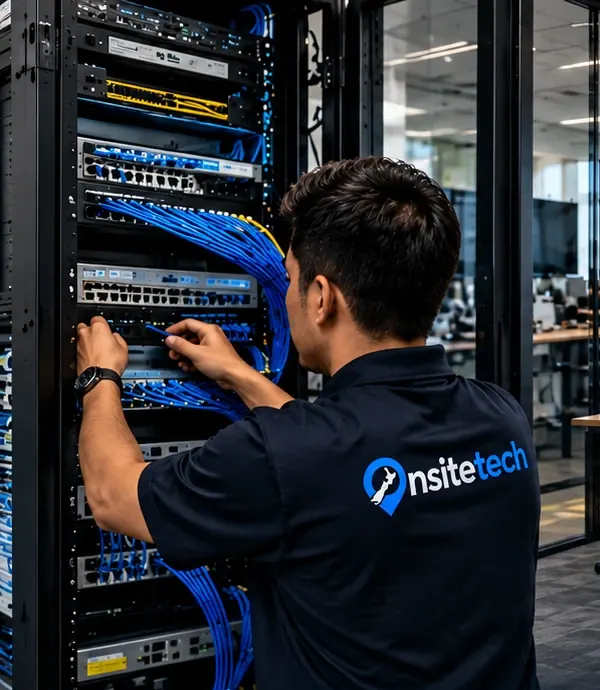
A new internet connection is only half the job once the provider has switched it on. Someone still has to install the router, name and secure the Wi-Fi, and get every computer, printer, TV and camera recorder talking again. We set up new fibre, fixed wireless and Starlink connections, carry over the settings from your old router, and plan a changeover between providers so the office or household is never left without a connection.
From $135 + GST + $30 call-out ($185.25 incl. GST)
- The old router's settings recorded before it is unplugged
- Each connected device checked once the new connection is live
- Wi-Fi name, password and router login written down for you
Signs you need internet setup & provider changeover
- A new fibre or wireless connection has been switched on but nothing in the office talks to it yet
- You are changing internet provider and worried about being offline in between
- The printer, smart TV or camera recorder stopped working after the router was swapped
- The Wi-Fi still has the name and password printed on the router's sticker
- Nobody kept a record of the settings on the old router before it was returned
How we do it
Before anything is unplugged, we log in to the existing router and write down what it is doing: the Wi-Fi names and passwords, fixed addresses given to printers and servers, port forwards for camera recorders or remote access, and any special settings the old provider used. We also check where the connection comes into the building and whether that is a sensible place for the router, because a router stuck in a cupboard at one end of the house or office is behind many slow Wi-Fi complaints.
The new router or your own firewall is then set up with those settings carried over, the Wi-Fi given a clear name and a strong password, and guest devices kept apart from your own. When the new connection is confirmed live, devices are moved across in a planned order and each one is checked: computers browse, printers print from every computer, TVs stream and recorders can be viewed remotely if they were before. The old connection is only cancelled once you are happy.
Typical internet setup & provider changeover jobs
- New fibre, fixed wireless and Starlink connections set up
- Router installed, configured and placed sensibly
- Wi-Fi named, secured and guest access separated
- Computers, printers, TVs and recorders reconnected
- Changeover between providers planned to avoid a gap
- Port forwards and fixed addresses copied from the old router
Specific internet setup & provider changeover jobs
- New fibre connection setupOur fibre has been switched on, but the router is still in its box and nothing is connected.
- Switching internet provider without a gapWe are changing internet provider and cannot afford to be offline while it happens.
- Fixed wireless internet setupFibre is not available here, and we have a fixed wireless or 4G modem that drops out and only works in one corner.
Internet Setup & Provider Changeover for businesses
For a business, a provider change is a project rather than a router swap. EFTPOS terminals, VoIP handsets, camera recorders, remote staff connections and cloud accounting all depend on the internet, and some are tied to fixed addresses or port forwards set up years ago. We plan the changeover around your trading hours, carry those settings across, run both connections side by side where the providers allow it, and test the things that keep money coming in before the old service is closed.
Internet Setup & Provider Changeover at home
At home, a new internet connection usually means a box arrives in the post and the evening disappears reconnecting the TV, the printer, the kids' laptops and the smart speaker. We set up the router in a sensible spot, keep your existing Wi-Fi name where possible so most devices reconnect themselves, and work through the rest one by one. You are left with the Wi-Fi details and router login written down somewhere you can find them.
Before we arrive
To make the visit quick, it helps to have these ready:
- Your new provider's account details and the connection date they gave you
- The login for the old router, if you have it
- A list of the devices that need to be online, including printers, TVs and recorders
- Anything that must be reachable from outside, such as cameras or a remote desktop
What a visit looks like
When you book internet setup & provider changeover, you tell us what's going on and we reply with a time that suits you and a price. Nothing starts until you're happy with both.
On the day, the technician arrives, looks at the problem in person and confirms the plan with you before starting. If something turns out different from what was expected - a part is needed, or the cause is somewhere else - we stop and agree the change with you first.
When the work is done we test it with you, show you what was changed, and leave the area tidy. For business jobs we note what we did, so there is a record for whoever looks after your IT next.
Pricing
From $135 + GST + $30 call-out ($185.25 incl. GST)
| Charge | Price | Incl. GST |
|---|---|---|
| Call-out, per onsite visit | $26.09 + GST | $30 |
| First hour on site | $135 + GST | $155.25 |
| Each half hour after the first hour | $60 + GST | $69 |
| Remote help session (no call-out) | $60 + GST | $69 |
| SuperGold card holders - first hour at home | $116 + GST | $133.40 |
Estimate your visit
$185.25 incl. GST, call-out included
An estimate at our standard rates. Bigger jobs get a free quote before we start.
Every visit includes
- Travel to your site
- Diagnosis on site
- Fix tested with you
- Plain-English explanation
- Notes for business jobs
- Tidy finish
Internet setup & provider changeover is charged at our standard rates: a $30 call-out, the first hour, then half-hour blocks. We never charge by the minute or in 15-minute steps, and there are no hidden extras.
Larger jobs - a new network, a run of cabling, a server or a camera system - get a free quote before any work starts, so you know the cost up front. Parts and equipment are quoted and agreed before we order them.
There is no contract, no monthly fee and no membership. You book the job you need and pay for that job.
Internet Setup & Provider Changeover: common questions
Do we need you if the provider sends a router in the post?
Plenty of people plug it in and get going. We help when there is more than the basics - a printer that loses its address, a camera recorder that needs remote access, an office with several access points, or a household that would rather not spend an evening reconnecting things.
How do you avoid a gap when we change provider?
We ask the new provider to connect before the old service ends, set up the new router alongside the old one, then move devices across at a quiet time. The old connection stays as a fallback until everything has been tested on the new one.
Can you keep our existing Wi-Fi name and password?
Usually yes, and it saves reconnecting every device by hand. We copy the old name and password to the new router, or to your own access points, so most computers, printers and TVs pick it up on their own.
Do you install the fibre or the Starlink dish itself?
The fibre lead-in and the box on the wall are installed by the network company your provider books. Starlink dish mounting is covered by our Starlink installation service. This service picks up from the point where the connection reaches the router.
Helpful guides
- Wi-Fi not working? How to fix it at home or workWi-Fi dropping out or crawling? Work through these practical checks for routers, laptops and coverage at home or in the office, and know when to get help.
Internet Setup & Provider Changeover by area
- Internet Setup & Provider Changeover in Auckland CBD
- Internet Setup & Provider Changeover in Ponsonby
- Internet Setup & Provider Changeover in Remuera & Newmarket
- Internet Setup & Provider Changeover in Mt Eden & Mt Albert
- Internet Setup & Provider Changeover in Onehunga
- Internet Setup & Provider Changeover in North Shore
- Internet Setup & Provider Changeover in Albany
- Internet Setup & Provider Changeover in Hibiscus Coast
- Internet Setup & Provider Changeover in West Auckland
- Internet Setup & Provider Changeover in Kumeu & Hobsonville
- Internet Setup & Provider Changeover in East Auckland
- Internet Setup & Provider Changeover in Botany & Flat Bush
- Internet Setup & Provider Changeover in East Tamaki
- Internet Setup & Provider Changeover in Manukau
- Internet Setup & Provider Changeover in Papakura & Takanini
- Internet Setup & Provider Changeover in Pukekohe
- Internet Setup & Provider Changeover in Mangere & Airport Oaks
- Internet Setup & Provider Changeover in Hamilton