
Repairs
Software installation and troubleshooting
Programs installed, licensed, updated and repaired, with junk software removed and error messages tracked down.
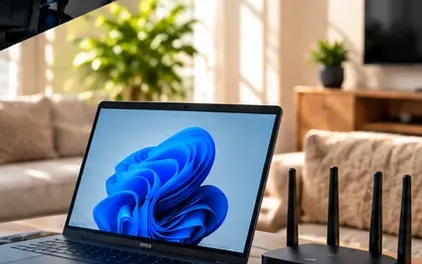
Software problems eat into a working day in small, frustrating ways. Office asks for activation again, the accounting program will not open after an update, a PDF tool keeps nagging for a subscription nobody remembers buying, or a driver install leaves a scanner dead. We install, license, update and repair the programs you rely on, remove the ones you do not, and chase error messages back to their cause instead of guessing at fixes.
From $60 + GST ($69 incl. GST) for remote help, no call-out fee
- Licences and product keys recorded and handed back to you
- Software downloaded only from the publisher's own site
- A test of each program with you before we finish
Signs you need software installation & troubleshooting
- Office keeps asking you to sign in or activate again
- A program stopped opening after a Windows or Mac update
- Pop-ups and toolbars appeared after installing something free
- A scanner or label printer is plugged in but no program can see it
- Nobody knows where the licence keys for the business software are kept
How we do it
Before installing or repairing anything, we find out what is already on the computer and how it is licensed. That means listing installed programs, checking which Microsoft 365 or Office edition is in use, and noting where product keys and subscriptions sit. Software is downloaded only from the publisher's own site or your licensed account, never from download portals that bundle extras. When a program is failing, we read its logs and recent update history to understand why before changing anything.
Repairs work from the least disruptive option up. We try the program's own repair tool, then reset settings, then reinstall cleanly while keeping data files and preferences safe. Drivers are installed from the device maker's package rather than whatever Windows picked automatically. Junk software is identified item by item and removed only with your agreement. We finish by opening each program with you, checking it works with your real files, and writing down the licence details, versions and install locations for your records.
Typical software installation & troubleshooting jobs
- Microsoft Office and Microsoft 365 apps installed and activated
- Accounting and business software installs and moves to new computers
- PDF editors, browsers and everyday tools set up
- Printer, scanner and device drivers installed correctly
- Junk software, toolbars and unwanted trials removed
- Crashes, error messages and failed updates investigated
Specific software installation & troubleshooting jobs
- Accounting software install on a new computerWe have a new computer for the accounts person and need the accounting software moved across with the company file.
- Microsoft Office activation and sign-in error fixWord and Excel keep saying the product is unlicensed or asking me to sign in again.
- Junk software and toolbar clean-upAfter installing a free program, my browser has a new search page, extra toolbars and pop-ups I never asked for.
Software Installation & Troubleshooting for businesses
For a business, software problems tend to land at the worst moment - the accounting program refuses to open before payroll, or a new starter's computer has no Office. We install and license programs properly, keep a record of what was installed where, and sort out the drivers and add-ins that business software depends on. That record makes the next new computer or staff change much simpler, and avoids paying twice for licences you already own.
Software Installation & Troubleshooting at home
At home, we help with the programs that matter to you - getting Office working again, installing a PDF reader without the hidden extras, setting up the software that came with a new printer or camera, or clearing out the toolbars and fake cleaners that slipped in with a free download. We explain what each program does, remove only what you agree to, and leave your computer cleaner and easier to use.
Before we arrive
To make the visit quick, it helps to have these ready:
- Licence keys, subscription emails or account sign-ins for the software involved
- Administrator access to the computer
- The exact wording of any error message, or a screenshot of it
- For business software, the location of the data file and who else uses it
What a visit looks like
When you book software installation & troubleshooting, you tell us what's going on and we reply with a time that suits you and a price. Nothing starts until you're happy with both.
On the day, the technician arrives, looks at the problem in person and confirms the plan with you before starting. If something turns out different from what was expected - a part is needed, or the cause is somewhere else - we stop and agree the change with you first.
When the work is done we test it with you, show you what was changed, and leave the area tidy. For business jobs we note what we did, so there is a record for whoever looks after your IT next.
Pricing
From $60 + GST ($69 incl. GST) for remote help, no call-out fee
| Charge | Price | Incl. GST |
|---|---|---|
| Call-out, per onsite visit | $26.09 + GST | $30 |
| First hour on site | $135 + GST | $155.25 |
| Each half hour after the first hour | $60 + GST | $69 |
| Remote help session (no call-out) | $60 + GST | $69 |
| SuperGold card holders - first hour at home | $116 + GST | $133.40 |
Every visit includes
- Travel to your site
- Diagnosis on site
- Fix tested with you
- Plain-English explanation
- Notes for business jobs
- Tidy finish
Software installation & troubleshooting is charged at our standard rates: a $30 call-out, the first hour, then half-hour blocks. We never charge by the minute or in 15-minute steps, and there are no hidden extras.
Larger jobs - a new network, a run of cabling, a server or a camera system - get a free quote before any work starts, so you know the cost up front. Parts and equipment are quoted and agreed before we order them.
There is no contract, no monthly fee and no membership. You book the job you need and pay for that job.
Software Installation & Troubleshooting: common questions
Can you move our accounting software to a new computer?
Yes. We install the program on the new machine, move or reconnect the data file, and check it opens with the right company file and users. Where the software publisher has its own steps for moving a licence, we follow those so the old installation is released properly.
Do you supply software licences?
Usually you buy the licence directly from the publisher or through your existing account, and we install and activate it. That way the licence is in your name. If you are unsure which edition you need, we explain the options before you buy.
A program shows an error code. Can you just look it up?
We do look it up, but the code is rarely the whole story. We check logs, recent updates, conflicting programs and permissions to find why it happens on your computer, so the fix holds rather than coming back after the next restart.
Is it safe to remove software I do not recognise?
Not always, which is why we check each item first. Some unfamiliar names are drivers or parts of programs you use. We identify what each one is, remove only the junk and unwanted trials you agree to, and leave anything needed alone.
Helpful guides
- A simple computer maintenance checklistKeep your computers running smoothly with this plain-English maintenance checklist covering updates, backups, storage, security and physical cleaning.
- Why your computer keeps freezingComputer freezing or locking up? Learn the common causes - overheating, failing drives, memory faults, drivers and software - and how to narrow them down.
- How computers get viruses, and how to stop themMalware rarely appears by magic. Learn the real ways computers get infected - email, downloads, fake updates, old software - and the habits that prevent it.
Software Installation & Troubleshooting by area
- Software Installation & Troubleshooting in Auckland CBD
- Software Installation & Troubleshooting in Ponsonby
- Software Installation & Troubleshooting in Remuera & Newmarket
- Software Installation & Troubleshooting in Mt Eden & Mt Albert
- Software Installation & Troubleshooting in Onehunga
- Software Installation & Troubleshooting in North Shore
- Software Installation & Troubleshooting in Albany
- Software Installation & Troubleshooting in Hibiscus Coast
- Software Installation & Troubleshooting in West Auckland
- Software Installation & Troubleshooting in Kumeu & Hobsonville
- Software Installation & Troubleshooting in East Auckland
- Software Installation & Troubleshooting in Botany & Flat Bush
- Software Installation & Troubleshooting in East Tamaki
- Software Installation & Troubleshooting in Manukau
- Software Installation & Troubleshooting in Papakura & Takanini
- Software Installation & Troubleshooting in Pukekohe
- Software Installation & Troubleshooting in Mangere & Airport Oaks
- Software Installation & Troubleshooting in Hamilton