
Internet Setup & Provider Changeover
New fibre connection setup, on site
Our fibre has been switched on, but the router is still in its box and nothing is connected.
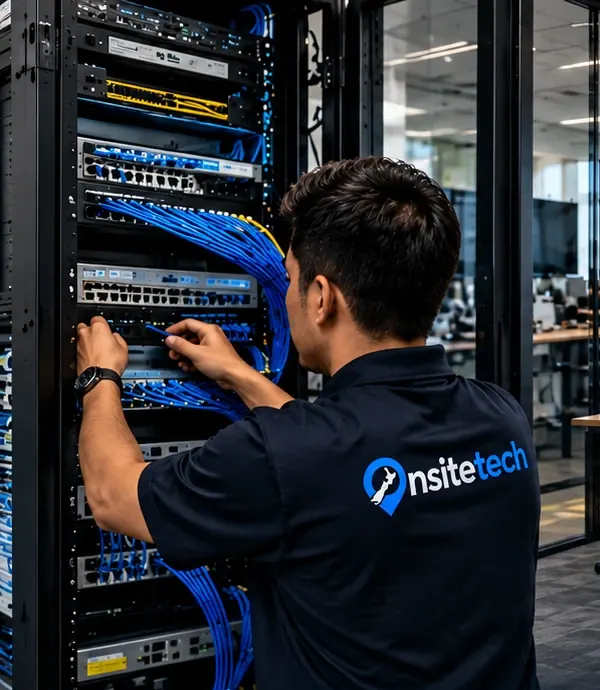
Our fibre has been switched on, but the router is still in its box and nothing is connected.
Once the network company has fitted the fibre box on the wall and the provider has activated the connection, the router still needs to be set up properly. That includes signing in with the provider's details where required, updating the router's firmware, choosing a clear Wi-Fi name, setting a strong password and changing the default admin login that is printed on the sticker. Where the fibre box sits matters too, as it decides where the router can go.
What the technician does
- Install and configure the router on the fibre box
- Set up a secure Wi-Fi name, password and guest network
- Connect every computer, printer and TV and test each one
Check with your provider that the fibre connection shows as active before the visit.
About new fibre connection setup
We position the router or run a cable to a better spot where needed, then connect each device: desktops by cable where possible, laptops and TVs over Wi-Fi, and printers given a fixed address so they do not disappear from the network. A separate guest network keeps visitors away from your own computers. We test speeds near the router and in the rooms you use most, and leave the details written down.
What usually causes it
- Moving from copper broadband to fibre
- A new office or home with fibre newly installed
- Upgrading to a faster fibre plan with a new router
- The router was plugged in but never properly configured
Before we arrive
- Your new provider's account details and the connection date they gave you
- The login for the old router, if you have it
- A list of the devices that need to be online, including printers, TVs and recorders
- Anything that must be reachable from outside, such as cameras or a remote desktop
What a visit looks like
When you book new fibre connection setup, you tell us what's going on and we reply with a time that suits you and a price. Nothing starts until you're happy with both.
On the day, the technician arrives, looks at the problem in person and confirms the plan with you before starting. If something turns out different from what was expected - a part is needed, or the cause is somewhere else - we stop and agree the change with you first.
When the work is done we test it with you, show you what was changed, and leave the area tidy. For business jobs we note what we did, so there is a record for whoever looks after your IT next.
Pricing
From $135 + GST + $30 call-out ($185.25 incl. GST)
| Charge | Price | Incl. GST |
|---|---|---|
| Call-out, per onsite visit | $26.09 + GST | $30 |
| First hour on site | $135 + GST | $155.25 |
| Each half hour after the first hour | $60 + GST | $69 |
| Remote help session (no call-out) | $60 + GST | $69 |
| SuperGold card holders - first hour at home | $116 + GST | $133.40 |
Estimate your visit
$185.25 incl. GST, call-out included
An estimate at our standard rates. Bigger jobs get a free quote before we start.
Every visit includes
- Travel to your site
- Diagnosis on site
- Fix tested with you
- Plain-English explanation
- Notes for business jobs
- Tidy finish
New fibre connection setup is charged at our standard rates: a $30 call-out, the first hour, then half-hour blocks. We never charge by the minute or in 15-minute steps, and there are no hidden extras.
Larger jobs - a new network, a run of cabling, a server or a camera system - get a free quote before any work starts, so you know the cost up front. Parts and equipment are quoted and agreed before we order them.
There is no contract, no monthly fee and no membership. You book the job you need and pay for that job.
New fibre connection setup: questions
Does the router have to sit next to the fibre box?
It needs a cable from the fibre box, but that cable can run to a better central spot. Where a longer run or wall plate is needed, our data cabling service can install it neatly.
Will my old devices work with the new router?
Almost always. Very old devices sometimes struggle with newer Wi-Fi security settings, and we can adjust the router so they connect, or suggest a simple workaround.
Do you do new fibre connection setup on site?
Yes. We come to businesses and homes across Auckland and Hamilton and do the work where the equipment is.
How much does new fibre connection setup cost?
It depends on what's involved. Tell us about the job on the form and we'll confirm the price before any work starts.