
Computer Health Check & Tune-up
Overheating laptop clean and check, on site
My laptop gets hot, the fan roars, and it sometimes switches off on its own.
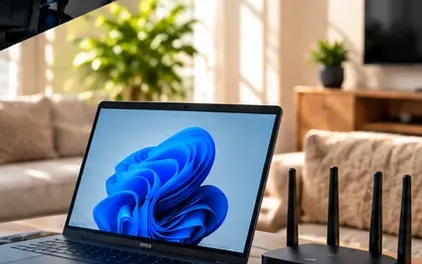
My laptop gets hot, the fan roars, and it sometimes switches off on its own.
Laptops pack a lot into a small case, and their cooling depends on a tiny fan pulling air through narrow vents. Over time dust and fluff build up on the heatsink until air barely moves, so the laptop runs hot, the fan spins at full speed and the processor slows itself down. Eventually the laptop shuts off to protect itself. It is one of the most common reasons a once-quick laptop starts struggling.
What the technician does
- Check temperatures, fan speed and the battery's condition
- Clean dust from the fan, vents and heatsink
- Test under load and confirm temperatures have settled
Using the laptop on a bed or couch blocks the vents - a hard surface helps it breathe.
About overheating laptop clean and check
We measure temperatures and fan behaviour first, check the battery for swelling or wear, and then open the laptop where the design allows to clean the fan and heatsink properly rather than just blowing into the vents. Afterwards we run it under load to confirm temperatures are back to normal. If the fan is noisy because it is failing rather than dirty, we explain the replacement options and whether the laptop is worth the repair.
What usually causes it
- Dust and fluff packed into the fan and heatsink
- Using the laptop on soft surfaces that block the vents
- A worn fan bearing that no longer spins properly
- A program running the processor flat out in the background
Before we arrive
- The computer's password, and administrator details if they are different
- Details of how you back up, such as an external drive or cloud service
- A note of anything that has felt slow, noisy or unreliable
- Any security software subscriptions you know you are paying for
What a visit looks like
When you book overheating laptop clean and check, you tell us what's going on and we reply with a time that suits you and a price. Nothing starts until you're happy with both.
On the day, the technician arrives, looks at the problem in person and confirms the plan with you before starting. If something turns out different from what was expected - a part is needed, or the cause is somewhere else - we stop and agree the change with you first.
When the work is done we test it with you, show you what was changed, and leave the area tidy. For business jobs we note what we did, so there is a record for whoever looks after your IT next.
Pricing
From $135 + GST + $30 call-out ($185.25 incl. GST)
| Charge | Price | Incl. GST |
|---|---|---|
| Call-out, per onsite visit | $26.09 + GST | $30 |
| First hour on site | $135 + GST | $155.25 |
| Each half hour after the first hour | $60 + GST | $69 |
| Remote help session (no call-out) | $60 + GST | $69 |
| SuperGold card holders - first hour at home | $116 + GST | $133.40 |
Estimate your visit
$185.25 incl. GST, call-out included
An estimate at our standard rates. Bigger jobs get a free quote before we start.
Every visit includes
- Travel to your site
- Diagnosis on site
- Fix tested with you
- Plain-English explanation
- Notes for business jobs
- Tidy finish
Overheating laptop clean and check is charged at our standard rates: a $30 call-out, the first hour, then half-hour blocks. We never charge by the minute or in 15-minute steps, and there are no hidden extras.
Larger jobs - a new network, a run of cabling, a server or a camera system - get a free quote before any work starts, so you know the cost up front. Parts and equipment are quoted and agreed before we order them.
There is no contract, no monthly fee and no membership. You book the job you need and pay for that job.
Overheating laptop clean and check: questions
Is it dangerous if my laptop keeps overheating?
Repeated overheating shortens the life of the parts and can cause sudden shutdowns that risk unsaved work. A swollen battery is a separate safety concern, so if the case is bulging or the trackpad has lifted, stop using it and let us check it.
Can every laptop be opened for cleaning?
Most can, though some thin models are glued or hard to open safely. We tell you before starting whether a full clean is practical on your model, and if it is not, we explain what we can do through the vents.
Do you do overheating laptop clean and check on site?
Yes. We come to businesses and homes across Auckland and Hamilton and do the work where the equipment is.
How much does overheating laptop clean and check cost?
It depends on what's involved. Tell us about the job on the form and we'll confirm the price before any work starts.