
Guide · 5 min read
Choosing security cameras for your home or business
Wired or wireless, NVR or cloud, how many megapixels and where to mount them. A practical guide to choosing a CCTV system that records what you need.
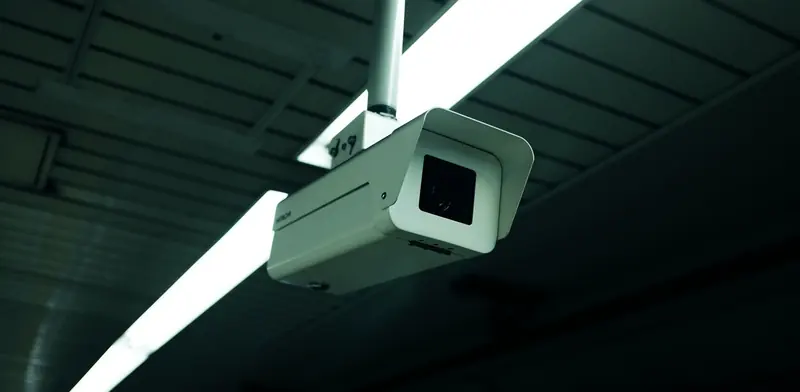
A security camera system is only useful if it captures a clear image of the thing you care about, at the moment it happens, and lets you find that footage quickly afterwards. Plenty of systems fall short on one of those three, usually because cameras were chosen for their box specifications rather than for the actual spot they would be watching.
This guide explains the main choices, from wired versus wireless and local recording versus cloud, to camera types, placement and privacy, so you can plan a system for a home, shop or office that works when it matters and is easy for you to use after the installer has gone.
From $255 + GST + $30 call-out ($323.25 incl. GST)
Quick checklist
- Decide what each camera must see or identify
- Choose wired PoE cameras where cabling is possible
- Plan where footage is stored and how long it is kept
- Check low-light performance, not just resolution
- Keep the recorder somewhere secure
- Change default passwords and update firmware
- Put up signs and respect neighbours' privacy
Start with what you need to see
Before looking at cameras, walk the property and decide what each one is for. A camera covering a driveway so you can see a car arrive is a different job from one that must identify a face at the front counter or read a number plate at a gate. Wide views are good for general awareness but poor for identification, so entry points often need a narrower field of view or a camera with optical zoom. Note where light changes through the day, and where people would actually walk rather than where it looks tidy to mount a camera.
Wired PoE versus Wi-Fi cameras
Wired cameras using Power over Ethernet run a single network cable that carries both power and video back to a recorder. They are stable, do not drop out, and do not depend on the Wi-Fi signal or batteries. Wi-Fi cameras are quicker to put up and suit a renter or a single doorway, but they still need power, their video competes with everything else on the wireless network, and battery models need regular recharging. For a business or anything beyond a camera or two, cabled PoE cameras are usually the more dependable choice.
Where the footage is stored
A network video recorder, or NVR, sits on site and records every camera to its hard drives continuously or on motion. There is no ongoing subscription, and footage stays on your premises, but the recorder itself should be somewhere a thief cannot simply carry it off. Cloud recording sends footage off site, which protects it if the recorder is stolen, but usually involves a subscription and needs enough upload speed. Some systems combine both, with local recording and cloud copies of important events.
Features worth paying attention to
Higher resolution helps, but the lens, sensor and low-light performance matter at least as much. A sharp image in daylight that turns to grey noise at dusk is not much use, since many incidents happen after dark. Ask to see sample night footage from the model you are considering, check how the app handles searching by time, and look for these features.
- Good low-light and infrared night vision
- Wide dynamic range for doorways facing bright light
- Person and vehicle detection to cut false alerts
- A field of view suited to each location
- Weather rating suitable for outdoor mounting
- A clear, usable app for searching and exporting footage
Placement and installation
Mount cameras high enough to be out of easy reach but not so high that they only see the tops of heads. Avoid pointing them straight at the sun or at bright lights, and check that eaves, trees and signs do not block the view. Each camera needs a cable route back to the recorder or network switch, which may run through ceiling spaces or walls. If a new power outlet is needed for a recorder or Wi-Fi camera, that work must be done by a registered electrician, as cameras themselves run on low-voltage network cable.
Privacy and security of the system
In New Zealand, the Privacy Act applies to businesses collecting camera footage, and the Privacy Commissioner publishes guidance on CCTV. Put up signs telling people cameras are operating, avoid recording areas where people expect privacy and do not point cameras into neighbouring properties. Treat the camera system as a computer on your network: change default passwords, keep the recorder's firmware updated, avoid opening ports on the router for remote viewing where the manufacturer offers a secure alternative, and place cameras on a separate network segment in a business.
When to call a technician
Book a technician once you know roughly what you want to cover, or if an existing system has blind spots, poor night images or dropping cameras. We will walk the site with you, recommend camera types and positions, run network cable to each camera, install and configure the recorder, set up the app for secure remote viewing and show you how to find and export footage.
From $255 + GST + $30 call-out ($323.25 incl. GST)
Related services
CCTV & Security CamerasCameras you can check from your phone, installed properly.Data & Network CablingStructured Cat6/6A and fibre cabling, patch panels and cabinets.Wi-Fi & Network SetupWi-Fi that reaches every room. Networks that just work.Common questions
How many cameras do I need?
That depends on the number of entry points and areas you want covered, not the size of the property. Most systems start with cameras on each entrance and any area holding valuables, then add general views. A site walk-through is the quickest way to work it out.
Can I view the cameras on my phone?
Most modern systems include an app for live view and playback away from home. It should be set up using the manufacturer's secure connection service and a strong password rather than opening ports on your router, which can expose the recorder to the internet.
Do security cameras slow down my internet?
Recording to a local NVR uses your internal network, not your internet connection. Viewing remotely or uploading to the cloud does use upload bandwidth. Wired cameras on their own switch or network segment keep their traffic away from everyday use.
Do I need permission to install cameras at my business?
You do not need a permit, but you must follow the Privacy Act. That means having a clear purpose, telling people with signage, storing footage securely and only keeping it as long as needed. The Privacy Commissioner's CCTV guidance is a useful starting point.
More guides
- Wi-Fi not working? How to fix it at home or workWi-Fi dropping out or crawling? Work through these practical checks for routers, laptops and coverage at home or in the office, and know when to get help.
- What is mesh Wi-Fi and do you need it?Mesh Wi-Fi uses several units working as one network to cover bigger homes and offices. Learn how it works, when it helps and when cabled access points win.
- Why is my computer slow? Causes and fixesA slow computer usually has a clear cause - an old hard drive, too little memory, startup clutter or malware. Here is how to find which one it is and fix it.
- Repair or replace your computer? How to decideWeighing up a repair against a new computer? Look at the fault, its age, Windows 11 support and your data to make a sensible call for home or business use.
- Which computer upgrades are worth the money?Not every upgrade earns its keep. See which computer upgrades - SSDs, memory, batteries, monitors and docks - give real gains, and which ones rarely pay off.