
Guide · 5 min read
What is mesh Wi-Fi and do you need it?
Mesh Wi-Fi uses several units working as one network to cover bigger homes and offices. Learn how it works, when it helps and when cabled access points win.
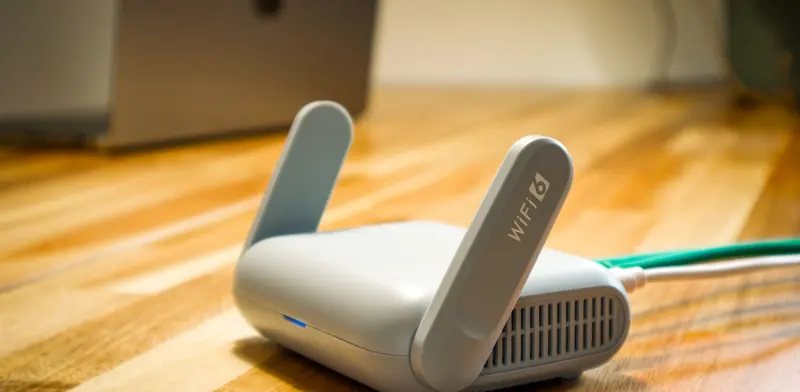
Mesh Wi-Fi has become the standard answer for patchy coverage, and the boxes on store shelves promise strong signal in every corner. For many homes and small offices that promise holds up well. For others, a mesh kit adds cost without fixing the real problem. Understanding how mesh works makes it much easier to decide whether it suits your building.
This guide explains what a mesh system actually does, how it differs from a range extender, where it performs well and where it falls short. It also covers the option most people never hear about in the shop - cabled access points - which is often the more reliable choice for offices, two-storey homes and any building where network cable can be run without too much trouble.
From $135 + GST + $30 call-out ($185.25 incl. GST)
Quick checklist
- Confirm the internet line itself is fast enough
- Map the rooms where the signal drops
- Look for existing data points in the walls
- Put the main unit beside the ONT, up off the floor
- Place extra units halfway to the weak area, not inside it
- Use wired backhaul wherever a cable is available
- Avoid mixing mesh units from different brands
How mesh Wi-Fi works
A mesh system replaces a single router with two or more matching units that behave as one network. One unit connects to your modem or fibre ONT, and the others are placed around the building. They share one Wi-Fi name and password, and your laptop moves between them automatically as you walk from room to room. The units talk to each other wirelessly, usually over a dedicated radio band, and the system manages channels and handover without you needing to adjust anything.
Mesh versus range extenders
A plug-in range extender listens to your router and repeats the signal, often under a separate network name. Every piece of data has to be sent twice over the same airwaves, so speed drops sharply for anything connected through it. Mesh units are designed as a set, typically with an extra radio reserved for talking to each other, and they steer devices towards the strongest unit. The result is smoother coverage and fewer dead zones.
When mesh is a good fit
Mesh suits buildings where one router cannot reach every room but running new cable would be awkward. Rented homes, older villas with solid walls and single-level offices with a long floor plan are typical examples. It is also handy when the internet connection arrives at one end of the building, far from where people actually sit and work. Mesh is also quick to set up and easy to move if you change rooms around.
- Larger single-storey homes
- Villas and bungalows with solid interior walls
- Rented homes and leased offices where cabling is not allowed
- Small offices with a handful of users
- Reaching a sleepout or detached garage
Where mesh falls short
Because the units pass data to each other wirelessly, every extra hop costs speed. A unit placed too far away, or behind several walls, ends up with a weak link back to the main unit and passes that weakness on to everything connected to it. Busy offices with many staff on video calls, warehouses with metal racking and two-storey homes with concrete floors can all push a wireless mesh past its comfortable limit.
Wired backhaul: the upgrade most people miss
Many mesh systems can link their units with network cable instead of radio, which is known as wired backhaul. This keeps the convenience of one network name and automatic handover, but removes the speed penalty between units. If your home or office already has data points in the walls, plugging each mesh unit into one is a simple and effective improvement. Where there is no cable, adding a few runs to the right spots often transforms how the whole system performs.
For offices, the same idea taken further is a set of ceiling-mounted business access points, each cabled back to a network switch and managed together. This is the setup most commercial buildings use, because it handles many users at once and gives proper control over guest access and security. It does need cable to each access point, which is far easier to install during a fit-out or renovation than in a finished building.
Choosing and placing mesh units
Start with the main unit next to the ONT or modem, ideally up off the floor and out of cupboards. Place each extra unit roughly halfway between the main unit and the area with poor coverage, not right inside the dead zone, so it still has a strong link back. Most systems include a setup page that shows the link quality between units, so use it to fine-tune positions. Buy units from the same range rather than mixing brands, since mesh features rarely work across manufacturers.
When to call a technician
Call us when a mesh kit has not cured the dead spots, when an office has outgrown consumer equipment, or when you would rather have cable run to the right places. We survey the building, test signal and speed room by room, and recommend mesh, wired backhaul or cabled access points to suit. Then we install the equipment, run any data cabling needed and document the finished network.
From $135 + GST + $30 call-out ($185.25 incl. GST)
Related services
Wi-Fi & Network SetupWi-Fi that reaches every room. Networks that just work.Data & Network CablingStructured Cat6/6A and fibre cabling, patch panels and cabinets.Home Tech HelpPatient, friendly help with anything techy at home.Common questions
Do I need mesh Wi-Fi for a small apartment?
Usually not. A single good router placed centrally covers most apartments and small units. Mesh adds value when walls, distance or several floors stop one router reaching everywhere. Try repositioning the existing router first, and only add units if some rooms still struggle.
Will mesh Wi-Fi make my internet faster?
Mesh improves coverage, not the speed of your internet plan. If the line itself is slow, every room will be slow however many units you add. Where the plan is fine but distant rooms crawl, mesh can bring those rooms much closer to the speed you pay for.
Can I add mesh to my existing router?
Often yes. Most mesh systems can run alongside an existing router, though it is usually cleaner to set the provider's router to bridge mode so only one device hands out addresses. Two routers in a row can upset video calls and remote access.
Is mesh Wi-Fi suitable for a business?
For a small office with a few staff, a good mesh system can work well. Larger offices, shops and warehouses generally do better with cabled business access points, which handle more users, offer better security controls and keep performing when everyone is online at once.
More guides
- Wi-Fi not working? How to fix it at home or workWi-Fi dropping out or crawling? Work through these practical checks for routers, laptops and coverage at home or in the office, and know when to get help.
- Printer not working? A troubleshooting guidePrinter offline, jobs stuck in the queue, paper jams or faded prints? A step-by-step guide to fixing the most common printer problems on Windows and Mac.
- Choosing security cameras for your home or businessWired or wireless, NVR or cloud, how many megapixels and where to mount them. A practical guide to choosing a CCTV system that records what you need.
- Why is my computer slow? Causes and fixesA slow computer usually has a clear cause - an old hard drive, too little memory, startup clutter or malware. Here is how to find which one it is and fix it.
- Repair or replace your computer? How to decideWeighing up a repair against a new computer? Look at the fault, its age, Windows 11 support and your data to make a sensible call for home or business use.